
Professional telephony within Microsoft Teams
Call, receive, and manage calls from one trusted work environment. With 365 Phone Connect, turn Microsoft Teams into your complete phone system.
Why 365 Phone Connect?
Telephony should help your organization, not limit it
Too dependent on mobile numbers
Customers call employees directly. In cases of absence, illness, or job changes, knowledge is lost and accessibility becomes vulnerable.
Legacy telephony environment
The phone system is still adequate but no longer aligns with hybrid working, cloud solutions, and modern collaboration.
Too many disconnected systems
Calling, chatting, meeting, and collaborating occur in different applications. This makes the user experience unnecessarily complex.
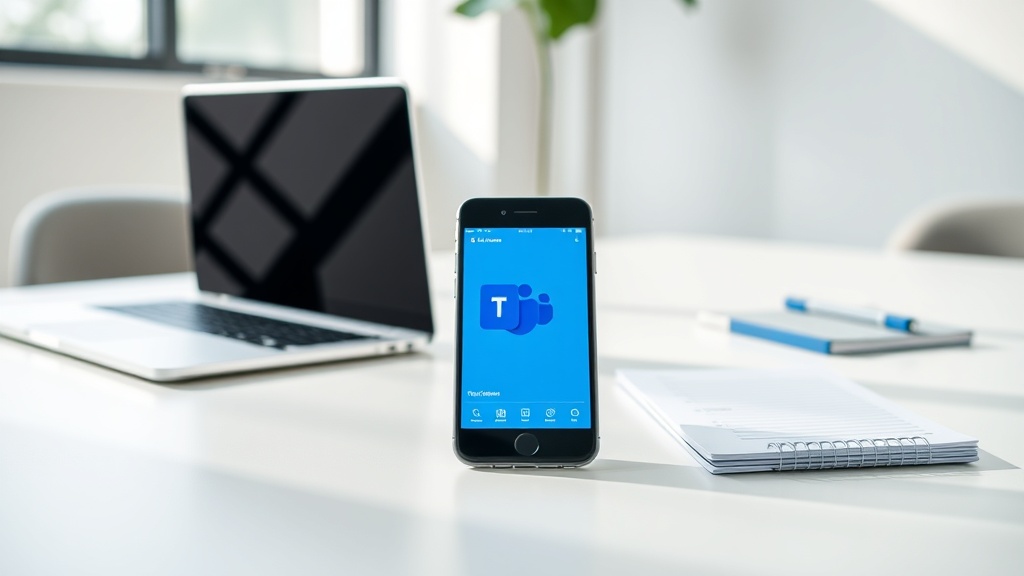
Designed for organizations that want to be professionally accessible
365 Phone Connect is developed for organizations that want to move away from traditional phone systems and integrate their telephony into Microsoft Teams. No complex projects, no custom trajectories, and no unnecessary features that are not used. 365 Phone Connect is the foundational layer for professional accessibility via Teams.

You are already using Microsoft Teams
Employees use Teams daily for chat, meetings, and collaboration. With Connect, you can add professional telephony within the same familiar environment.

You want to get rid of a traditional telephone system
Reduce management, simplify the user experience, and work from a single platform for communication and collaboration.

You are looking for a scalable solution
Start with professional Teams Telephony and easily expand later with customer context (365 Phone Flow) or reports and dashboards (365 Phone Insight).
The guiding principles behind 365 Phone Connect
Modern telephony doesn't start with technology, but with the right choices. Many organizations use a telephony environment that developed historically. Everyone gets a phone number, employees are reachable via their mobile phones, and telephony is separate from the rest of the workspace. 365 Phone Connect consciously chooses a different approach. These three guiding principles form the foundation of every Teams Telephony implementation.
Not every employee is a telephone user
An administrative assistant, planner, receptionist, or account manager has different accessibility needs than a warehouse worker, production employee, or field service technician. With 365 Phone Connect, you activate telephony only for employees who truly need to be reachable. The result is: Fewer licenses, lower monthly costs, simpler management, (much) faster implementations.
Work and private life remain separate
Business accessibility is linked to the organization, not to an employee's personal mobile number. Customers call a business number, while employees can work flexibly without sharing their private information.
Mobile working without relying on a mobile number
Employees can make and receive calls via the Teams app on smartphone, laptop, or desktop, while the business number remains central. This way, you combine maximum flexibility with a professional appearance.
Four steps
Step 1 — We activate your business numbers
Existing phone numbers can be retained or new regional, geographic, or 085/088 numbers can be requested, in 65+ countries!
Step 2 - We connect Microsoft Teams
Telephone users gain access to calling via Teams on desktop, laptop, and smartphone.
Step 3 — We set up accessibility
Main number, departments, queues, menus, and opening hours are configured according to your preferences.
Step 4 - You are reachable
Customers call one professional number and are automatically directed to the right employee or department.
Step 1 — We activate your business numbers
Existing phone numbers can be retained or new regional, geographic, or 085/088 numbers can be requested, in 65+ countries!
Step 2 - We connect Microsoft Teams
Telephone users gain access to calling via Teams on desktop, laptop, and smartphone.
Step 3 — We set up accessibility
Main number, departments, queues, menus, and opening hours are configured according to your preferences.
Step 4 - You are reachable
Customers call one professional number and are automatically directed to the right employee or department.
365 Phone Connect
Flexible
Pay only for what you use. Connect Flex automatically scales with your organization's actual call traffic. Ideal for organizations with fluctuating staff, seasonal peaks, contact centers, or growing and shrinking teams.
- Lower entry costs
- Do not purchase overcapacity
- Automatically scale during high traffic
- Always up-to-date capacity available
- Fully integrated into Microsoft Teams

365 Angels is a registered telecom provider in the Netherlands and Belgium.
365 Angels is registered as a telecommunications provider with the regulators in the Netherlands (ACM) and Belgium (BIPT). This ensures you have a partner that operates within the applicable laws and regulations for electronic communication services.
Belgian Institute for Postal Services and Telecommunications
The BIPT is the Belgian regulatory authority for telecom and electronic communication services. It oversees the telecom market, number management, and fair competition between providers.

Authority for Consumers & Markets.
The ACM is the Dutch regulator for telecom and electronic communication services. The ACM oversees the telecom market, number management, and fair competition between providers.
Why do organizations choose us?
More than just technology. A good telephony solution starts with the technology but becomes successful only when employees actually use it. That's why we combine Microsoft expertise from the 365 Angels with practical guidance, management, and support.
Schedule a conversationMicrosoft Expertise
Specialist in Microsoft Teams, Teams Telephony, and modern workplaces.
The Netherlands & Belgium
Local support and experience with organizations in both the Netherlands and Belgium.
From Implementation to Management
One partner for setup, support, management, and further development.
Practical & Human-Centered
No complex telecom projects, but solutions that employees immediately understand and use.
Frequently Asked Questions
Frequently Asked Questions about 365 Phone Connect
365 Phone Connect is a business telephony solution based on Microsoft Teams and Operator Connect. Employees make and receive calls from Teams using their business number.
No. Microsoft Teams forms the basis of the telephony environment. A separate telephone exchange is not necessary.
Yes. In most cases, existing numbers can easily be ported to the new environment.
Yes. Employees can use Teams on smartphones, tablets, laptops, or desktops and remain reachable under the same business number.
No. We only activate telephony for employees who actually need to make or receive calls.
Yes. 365 Phone Connect is designed for organizations where employees work in the office, at home, or on the go.
Because 365 Phone Connect is a standardized solution, organizations can often start significantly faster than with traditional telecom projects.
365 Phone Flow
Is your team missing customer information during conversations?
365 Phone Connect focuses on professional availability. Additionally, do you want to immediately see who is calling, display customer information during calls, or log calls in your CRM system? Then discover 365 Phone Flow, the next step in modern customer communication.